Setting up my first database API call
Or starting up the API
So having connected the API to the database as shown in my last post, I decided that I should create and test some API methods to ensure it works, and then I can have the frontend call those methods. Today, I'll go over the three different API methods that need to be created for the 'Character' entity. These three things we need to be able to do is:
- Get a list of all the characters
- Get a single character based on the ID
- Create a new character
Prior to making a start on these methods, I added three Nuget packages to help with the API development. These are:
- Swashbuckle.AspNetCore
- Swashbuckle.AspNetCore.SwaggerGen
- Swashbuckle.AspNetCore.SwaggerUI
This allows me to use Swagger to test the API calls once they've been created.
Get a list of all the characters
Since this will probably be the easiest method to write, I'll create it first. It simply needs to call the 'Characters' table and return all the entries.
First thing is to create a controller class which is what the frontend will be calling. This class will aptly be called 'CharacterController* and will reference the ControllerBase. Underneath the namesapce, but above the class definition we eill need to mark this as an API Controller and give it a route.
namespace ToffeeTavern.Server.Controllers
{
    [ApiController]
    [Route("api/[controller]")]
    public class CharacterController : ControllerBase
    {
This allows us to properly define the controller methods, partly so that Swagger can make use of them. Typically method names just need to be simple, so this first method (which is just getting a list of entitities) can just be called Get and doesn't need any variables input.
[HttpGet]
public async Task<IActionResult> Get()
{
    var characters = await _getAllCharacters.Get();
    return Ok(characters);
}
THe method needs to have the HttpGet tag to state that it is an API controller method, and it also describes what the method does, which is just getting data. The method definition has five different parts.
- public
This just marks it as a public method so that it can be called from outside the program.
- async
This is very important for the mehtod. It tells the method to be run asynchronously which means we can use the 'await' keyword in our methods which means it will 'wait' until the method call is complete before moving on.
- Task
Since we've marked this method as async, regular return values don't work anymore. Instead, it has to return a Task of some sort, and we'll be using IActionResult here.
- Get
The simple method name.
- ()
No variables are required for this.
You might also notice that this method calls a method (called Get) in an interface (called GetAllCharacters). THis is the next part to go over. One important thing to ensure we have here is a commitment to SOLID principles, the first of which requires each class to only have one use. Therefore, I made a folder called Getters which will have all the classes that directly gets data from the database. Thre will also be another folder inside this called Interfaces which will house all the interfaces for these classes. The first class, which just get's all the characters will be called GetAllCharacters
public class GetAllCharacters : IGetAllCharacters
{
    private ToffeeContext _context;

    public GetAllCharacters(ToffeeContext context)
    {
        _context = context;
    }

    public async Task<List<Character>> Get()
    {
        return await _context.Characters.ToListAsync();
    }
}
Since this class will be calling the database, it needs to use the database context we created earlier, and we need to define that in the classes constructor. Then, it can just return all the characters from the context and return it as a list. Then, to keep the API loosely connected, we'll use an interface called IGetAllCharacters
public interface IGetAllCharacters
{
    Task<List<Character>> Get();
}
Now, this service needs to be defined in the program file.
builder.Services.AddScoped<IGetAllCharacters, GetAllCharacters>();
This ensures that when the API is run, the class is started up. Now, the controller can then call this interface in order to make the call to the database:
private readonly IGetAllCharacters _getAllCharacters;

public CharacterController(
    IGetAllCharacters getAllCharacters
)
{
    _getAllCharacters = getAllCharacters;
}
And now, with some dummy data I can run the API and run the method in Swagger on the browser to ensure it works:
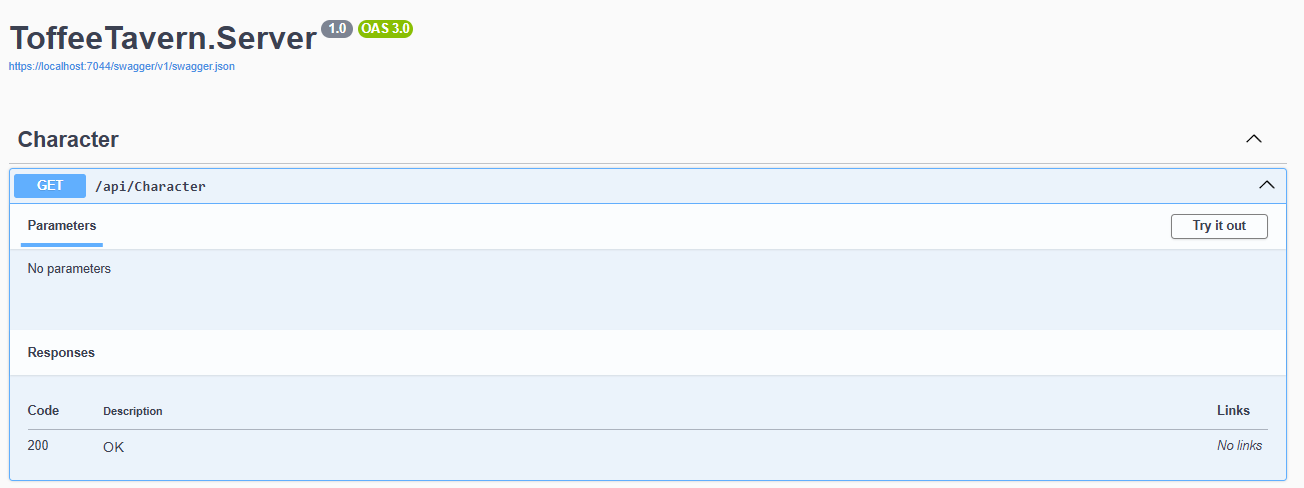

With that now working, we can make a start on the more complicated methods.